Guides and comparisons for the GKD Pixel 2
How to set up the GKD Pixel 2, and how ZyperOS compares with the other systems for it, with a source for every claim about them.
 GuideTry ZyperOS on Your Mac, No Handheld NeededTwo ways to run ZyperOS on a Mac: desk mode for the launcher, its menus and a game, and the ZyperOS Simulator for the whole system in QEMU.
 StoryThanks, Eric: Where ZyperOS StartedI am very grateful to Eric. TortOS inspired me to build ZyperOS, and our disagreements do not change that.
 GuideZyperOS Systems, Game Folders and File TypesFind every game folder, supported file type and emulator in one complete reference.
- GuideZyperOS Guide for the GKD Pixel 2Start here for setup, games, controls, themes, music, Player 2 and storage.
 GuideZyperOS Controls, Save States and ResumeThe everyday buttons, system controls, quick saves and the difference between game saves and save states.
 GuideCustomize the ZyperOS Theme and Home ScreenChoose your colors, backgrounds, corners and home screen directly on the handheld.
 GuidePlayer 2 on the GKD Pixel 2: Phone or ComputerA friend joins your NES game from a browser, with a phone screen or computer keyboard.
 GuideManage Storage on the GKD Pixel 2See what fills the card, compare large files and choose what to remove.
- GuideAbout ZyperOS: The Name, People and MusicThe dog behind the name, the people behind the software, and the music in your pocket.
- ComparisonBest Custom Firmware for the GKD Pixel 2 in 2026Every system that runs on the Pixel 2 in one table, from each project's own docs, code and releases, and who each one suits.
 GuideInstall ZyperOS on the GKD Pixel 2Download the installer, prepare your card and start ZyperOS on the GKD Pixel 2.
- ComparisonGKD Pixel 2 Stock Firmware: Should You Replace It?What the firmware it ships with does and does not do, what a new card changes, and how to keep the stock card safe.
 GuideHow to Add Games to the GKD Pixel 2 (Wi-Fi or USB)Folder names and file types, then the ways in: the card in a computer, Wi-Fi File Transfer, the USB cable, Flash Drive and a phone.
 ComparisonZyperOS vs ROCKNIX on the GKD Pixel 2ROCKNIX's 120 systems and updates over the air, beside ZyperOS's quick start, box art on the device and battery care.
 GuideGKD Pixel 2 Wi-Fi: Which USB Adapter WorksThe Pixel 2 has no Wi-Fi. A Realtek USB adapter in the USB-C port adds it, and the TP-Link TL-WN725N is tested.
 GuideBox Art and Video Previews on the GKD Pixel 2Covers from libretro, ScreenScraper and SteamGridDB, fetched on the handheld, and video snaps on the shelf.
 ComparisonZyperOS vs ROGUE OS on the GKD Pixel 2The system that set the bar for the Pixel 2, beside the one built to match it, row by row.
 GuideRetroAchievements on the GKD Pixel 2Sign in on the handheld, download every game's achievements for offline play, and see badges and progress pop-ups.
 ComparisonZyperOS vs TortOS on the GKD Pixel 2ZyperOS began as Eric Reinsmidt's TortOS. What it kept, what it added, and where TortOS is the simpler pick.
 GuidePortMaster on the GKD Pixel 2: Setup and PortsInstall the official PortMaster from the Ports shelf with one press, add ports such as Stardew Valley and Celeste, and start them there.
 ComparisonZyperOS vs plumOS on the GKD Pixel 2Two young systems: plumOS's 86 systems and A/B updates from a file, beside ZyperOS's Wi-Fi and USB File Transfer.
- GuideNintendo DS on the GKD Pixel 2 with DSperateDSperate, three screen layouts, a d-pad stylus, the game's language, and how DraStic saves move over.
- ComparisonZyperOS vs Knulli on the GKD Pixel 2What Knulli's own pages and releases say about the Pixel 2, beside ZyperOS.
- GuideGKD Pixel 2 BIOS Files: What Goes WhereEach system's BIOS file names, where they go, and which systems run without one.
 ComparisonZyperOS vs muOS on the GKD Pixel 2What muOS's own device page and releases say about the Pixel 2, beside ZyperOS.
 GuideMusic, Audiobooks and Videos on the GKD Pixel 2Which video formats play smoothly on its four cores, and how to add albums, books and films.
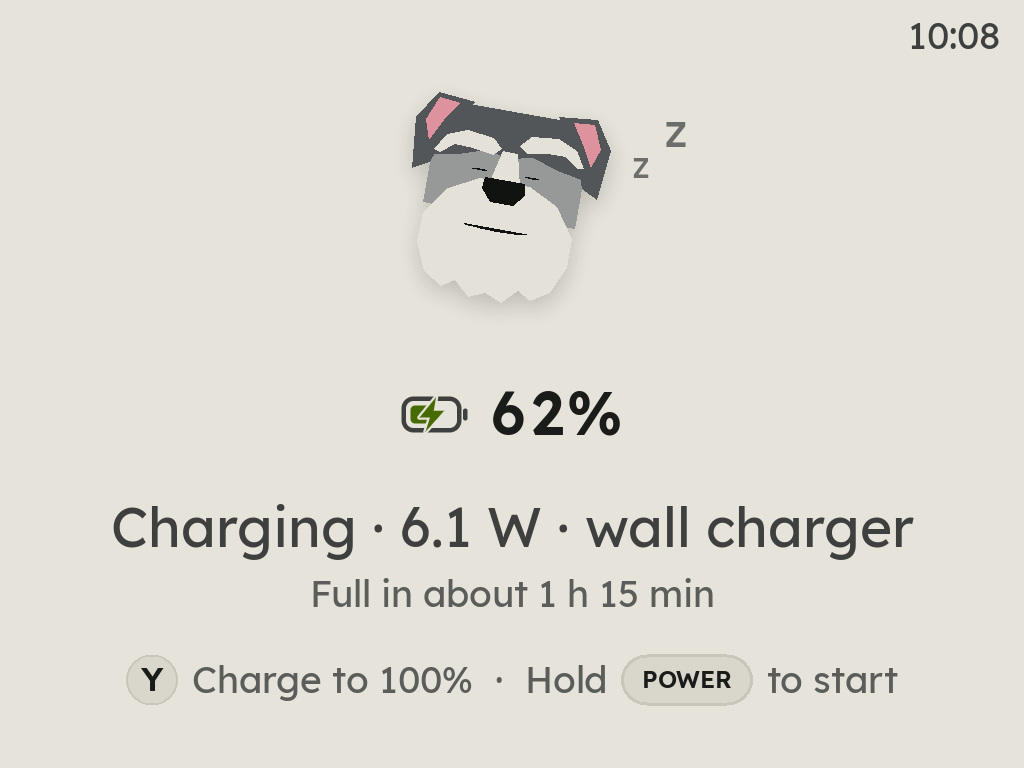 GuideGKD Pixel 2 Battery: Charge Limit and Low-Battery CareStop charging at 80, 85 or 90%, the charging screen when off, and the low-battery and heat warnings.